
Webhook filters let you receive webhook events whenever a podcast contains data you care about, rather than receiving an event for every new podcast and episode.
Whenever new podcast data is released, we check to see if it matches any of the regex patterns you’ve set up and only send you the events that match your criteria.
\byour-brand\b.\b(FDA approval|clinical trial|drug recall|Phase [1-3]|NDA filing)\b keeps you on top of latest pharma trends.Once you've set up a Taddy API webhook endpoint, you can add one or more webhook filters. Click on ‘Add Filter’.
Then, set up your filter by:
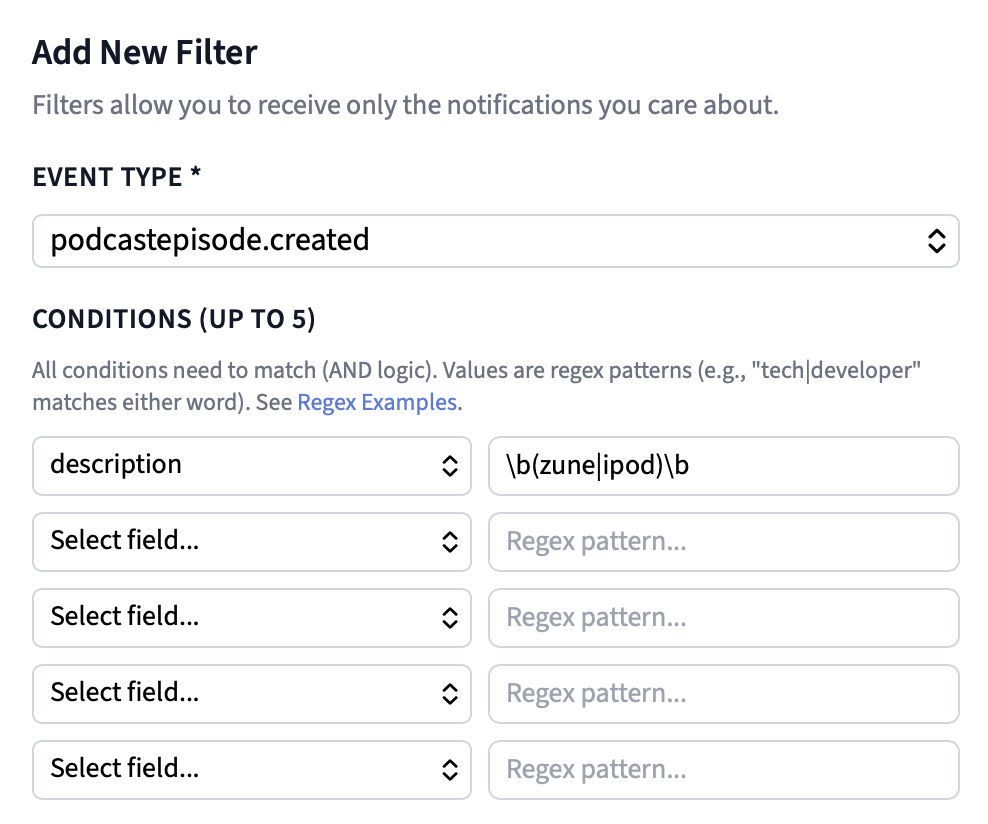
podcastepisode.created).In the example below I’ve set up a filter to only receive webhook events when a new episode’s description contains “zune” or “iPod”.
| Pattern | Matches |
|---|---|
| `tech | developer` |
| `developer api | dev tools` |
\btech\b |
Matching whole word "tech" (won't match "techno" or "biotech") |
the.+show |
Use .+ as a wildcard to match unknown text. This matches "The Daily Show" or "The Late Night Show" |
\b(chris )?lattner\b |
Matches for Chris Lattner or just Lattner |
\b(chris )?lattner\b AND `\b(apple |
|
| `TOP_(200 | 1000 |
\bapple\b(?! podcasts) |
Match "apple" and exclude the next word "podcasts” |
Notes:
iPod and ipod are equivalent)apple also matches "pineapple". Use \bapple\bto match the whole word.* , but not + . Use .+ instead as a wildcard to match unknown text.